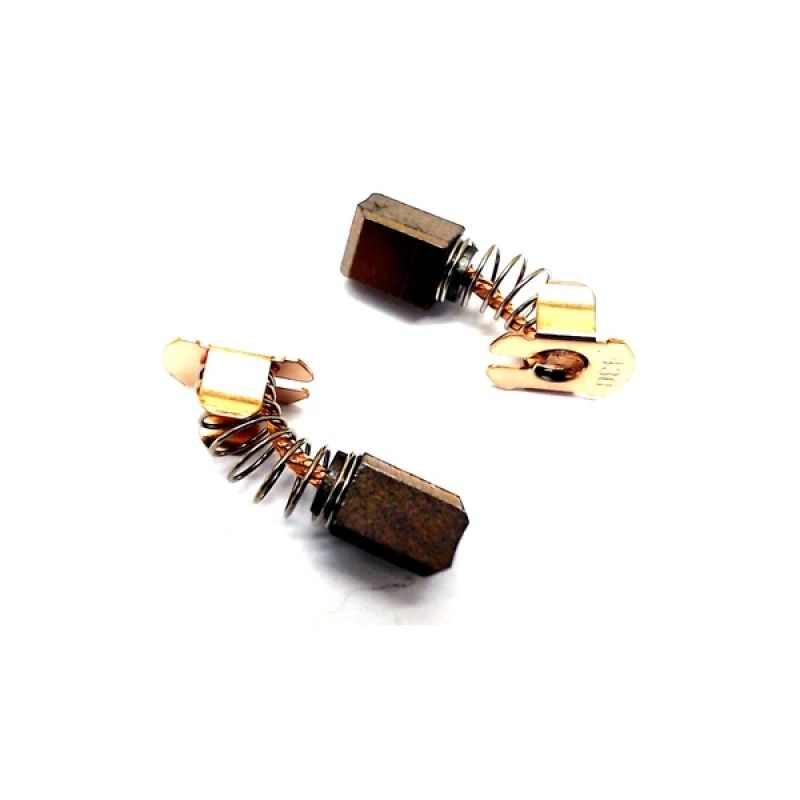
Click here to go to our Buy Now page for: Makita DGA452 Brushes (Buy carbon brushes for DGA452 with fast UK delivery)
If your Makita DGA452 angle grinder has started losing power, cutting out, or producing excessive sparks, worn motor brushes are one of the most common causes. Replacing your Makita DGA452 Brushes is a simple and cost-effective repair that can restore performance and extend the life of your tool.
Motor brushes are designed to wear down over time. When they become too short, electrical contact with the armature becomes inconsistent, leading to reduced torque, overheating, and poor efficiency. That’s why we stock and sell Makita DGA452 carbon brushes so you can get your grinder back up and running quickly.
Look out for these common symptoms:
Grinder runs intermittently or stops under load
Noticeable drop in power
Excessive sparking through the motor vents
Burning smell from the tool
Motor fails to start despite a charged battery
These are classic indicators that your Makita DGA452 motor brushes are worn and need replacing.
Changing brushes before they wear out completely helps prevent damage to the armature and commutator. These small and affordable Makita spare parts can save you from a much more expensive motor repair later on.
Benefits of fitting new Makita DGA452 brushes include:
Restored grinding and cutting performance
Reduced electrical arcing
Longer motor lifespan
Improved reliability on site or in the workshop
We sell replacement brushes specifically for the Makita DGA452, making it easy to order the correct part without guesswork.
For best results, always use high-quality brushes designed specifically for the DGA452 model. Genuine Makita brushes are manufactured to exact size and material specifications, ensuring proper fit and consistent electrical contact.
Poor-quality or incorrect brushes can cause excessive sparking, reduced power, and uneven wear of the commutator.
Replacing the brushes on the Makita DGA452 is usually quick and straightforward:
Remove the battery from the grinder.
Open the brush caps on the motor housing.
Remove the worn brushes.
Fit the new Makita DGA452 Brushes in the same orientation.
Refit the brush caps and reinstall the battery.
After replacement, let the grinder run with no load for a short time to allow the new brushes to bed in properly.
If your grinder is losing power or sparking excessively, replacing the brushes is one of the fastest and cheapest fixes available. We sell Makita DGA452 brushes that are designed for a proper fit and reliable performance.
Ordering your replacement brushes from us means:
Correct part for your model
Fast, simple repair
Longer tool life
Reduced downtime
By fitting the right Makita parts, you protect your tool and keep it working efficiently.


